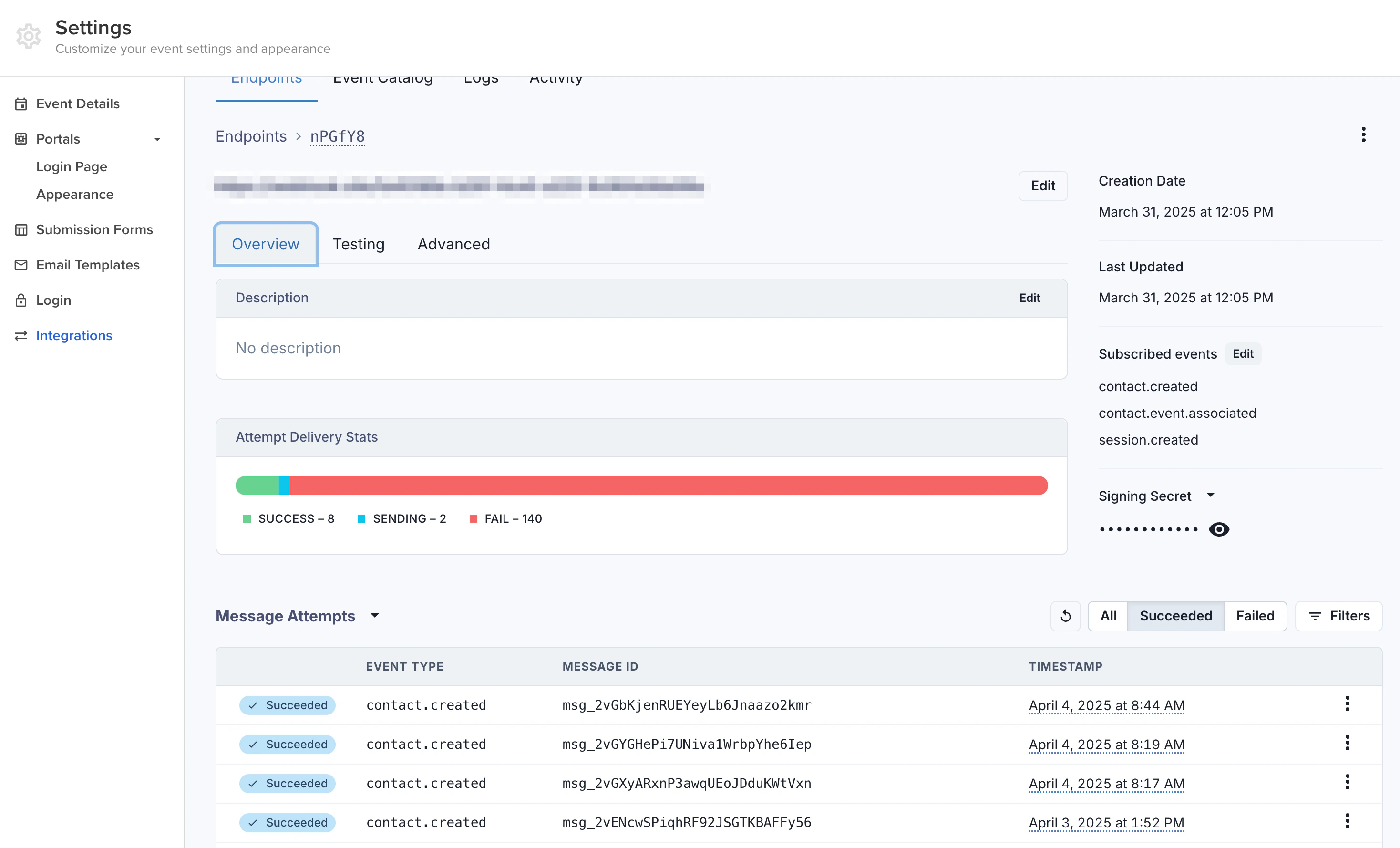
Event Catalog
Subscribe to any combination of the following webhook events.Contacts
Contacts
Sessions
Sessions
| Event | Description | | --- | --- | |
session.created | A new session was
created. | | session.updated | A session’s details were updated. | |
session.deleted | A session was deleted. | | session.speaker.attached | A
speaker was attached to a session. | | session.speaker.detached | A speaker
was detached from a session. |Exhibitors
Exhibitors
| Event | Description | | --- | --- | |
exhibitor.created | A new exhibitor
was created. | | exhibitor.updated | An exhibitor’s details were updated. |
| exhibitor.deleted | An exhibitor was deleted. | |
exhibitor.event.associated | An exhibitor was associated with an event. | |
exhibitor.event.disassociated | An exhibitor was removed from an event. |Sponsors
Sponsors
Payload Structure
Every webhook delivery sends a JSON payload with two top-level keys:data (the full resource that changed) and metadata (information about the event itself).
The
data field contains the full resource object for the affected entity
(Session, Contact, Sponsor, or Exhibitor). Its shape matches the corresponding
response schema in the API Reference.session.updated event:
data object above is abbreviated — production payloads include every field of the resource. Refer to the Session, Contact, Sponsor, and Exhibitor response schemas in the API Reference for the complete shape.
Payload Attributes
Forward compatibility: Sessionboard may add new fields to
data and
metadata at any time. Webhook consumers should ignore unknown fields rather
than fail on them. Removed or renamed fields will trigger a metadata.version
bump.Creating a Webhook
1
Open Webhook Settings
In the Sessionboard admin dashboard, navigate to Settings > Integrations > Webhooks.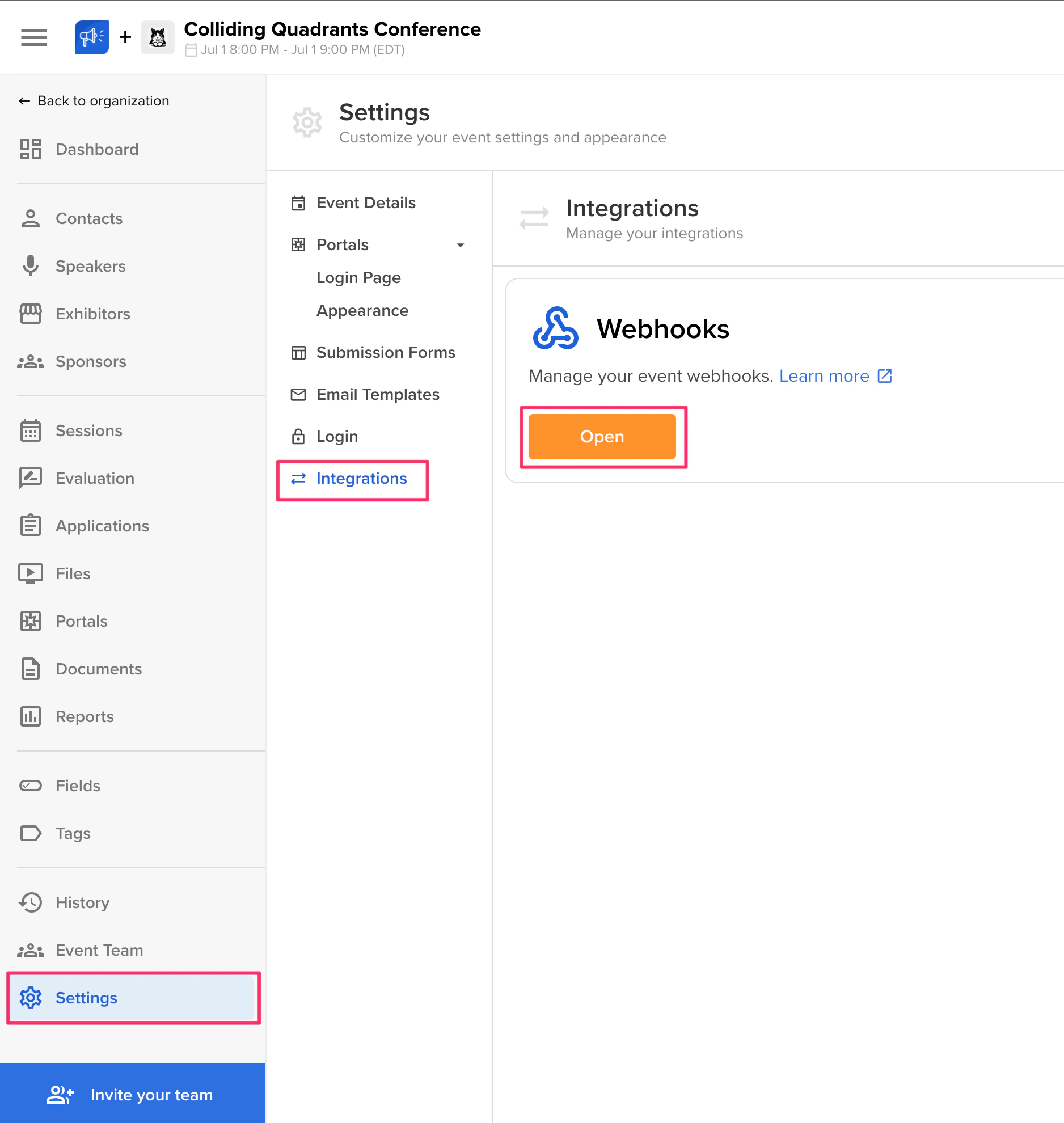
2
Add an Endpoint
Click Add Endpoint and enter the URL where you want to receive webhook deliveries. This must be a publicly accessible HTTPS endpoint. Select which events you want to subscribe to for this endpoint.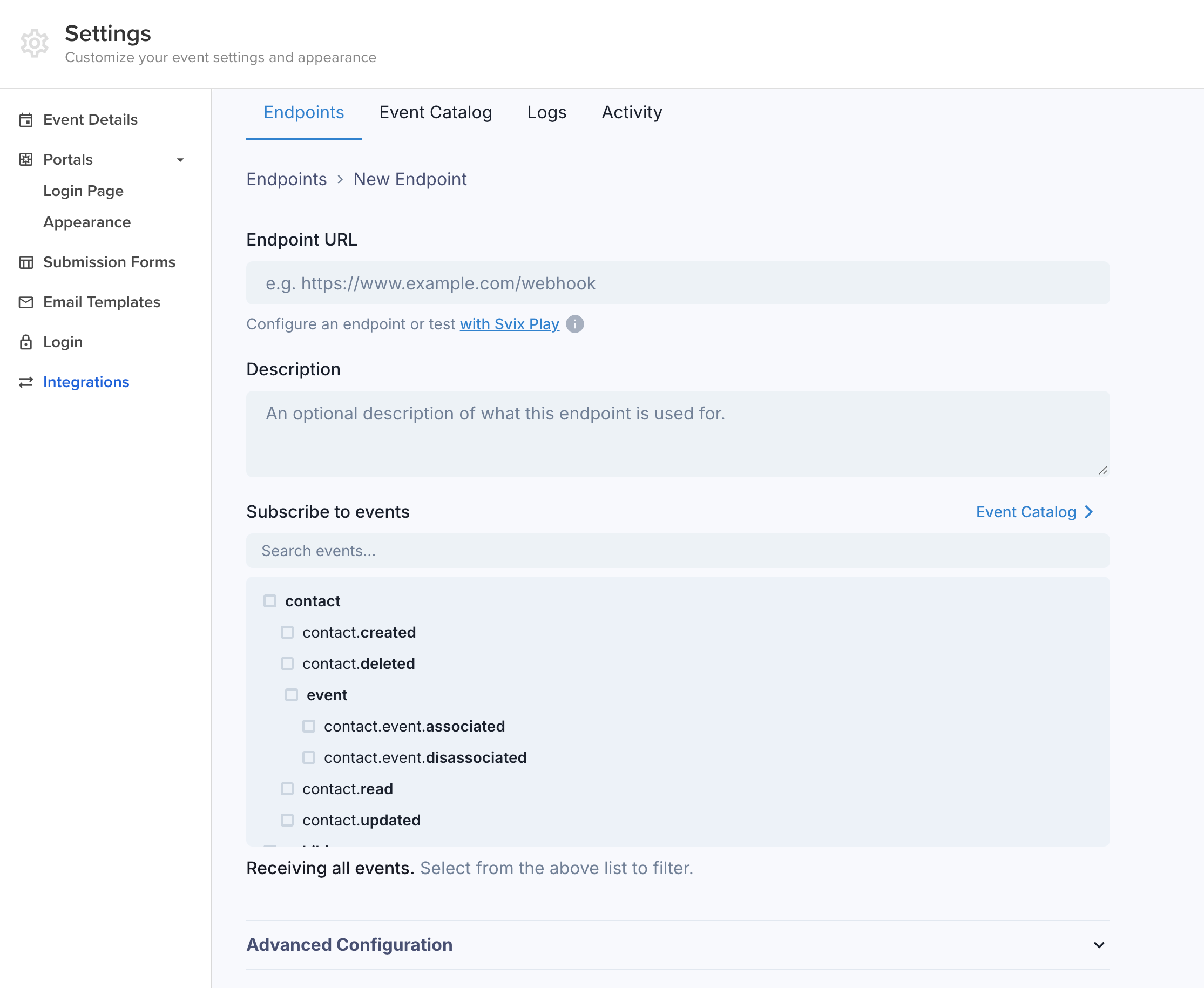
3
Save and Activate
Save the webhook configuration. Sessionboard will begin sending events to your endpoint immediately. You can also add custom headers for additional security (e.g., passing a token that your server validates to ensure the request is from Sessionboard).
Testing Webhooks
Use the Testing tab on any endpoint to send a sample payload without triggering a real action. You can also use Svix Play to capture and inspect deliveries in a temporary sandbox.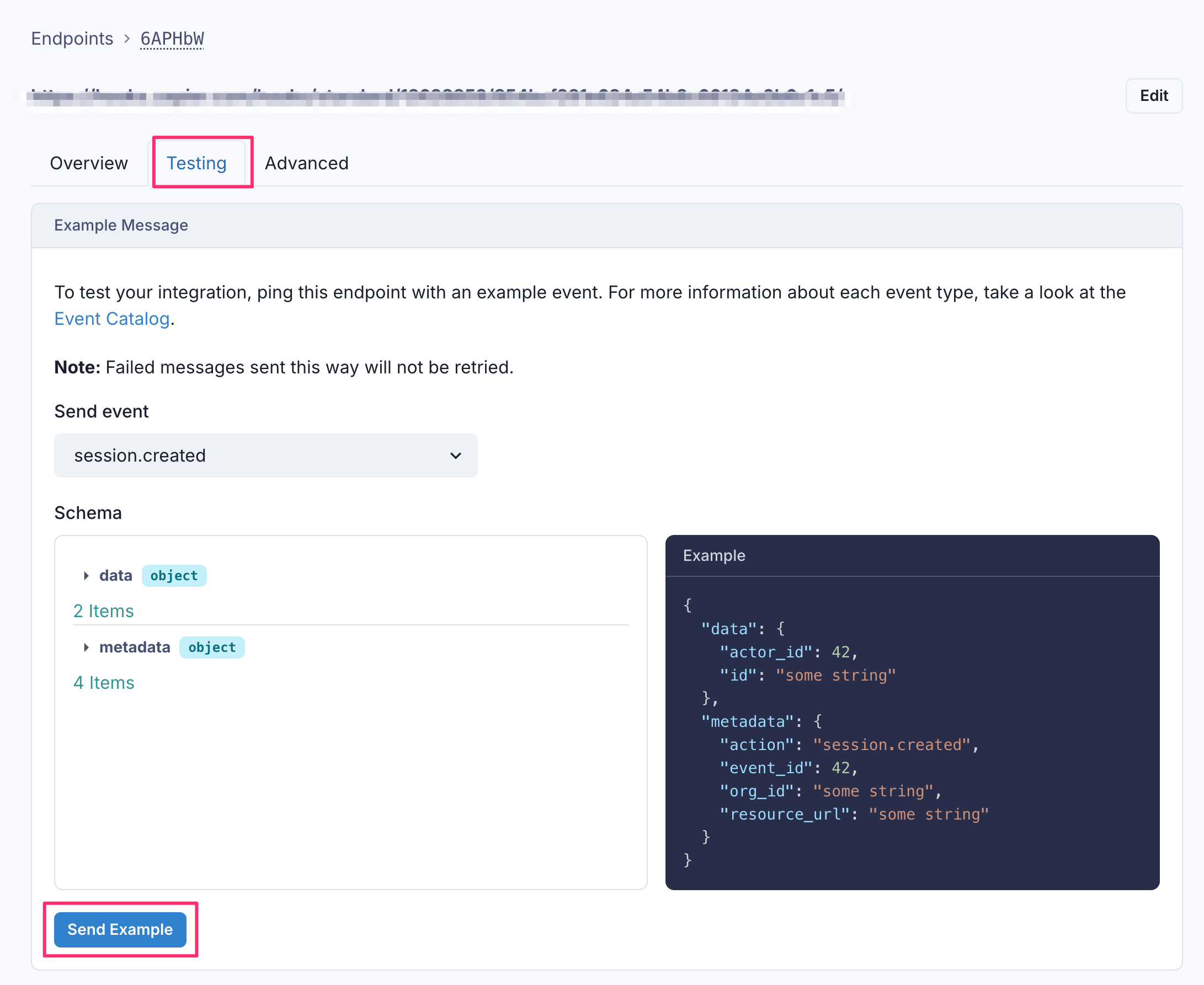
Monitoring
Sessionboard provides delivery logs for each webhook endpoint in the admin dashboard. You can view recent deliveries, inspect payloads, and check response status codes. Failed deliveries are retried automatically with exponential backoff.