

API + Webhooks
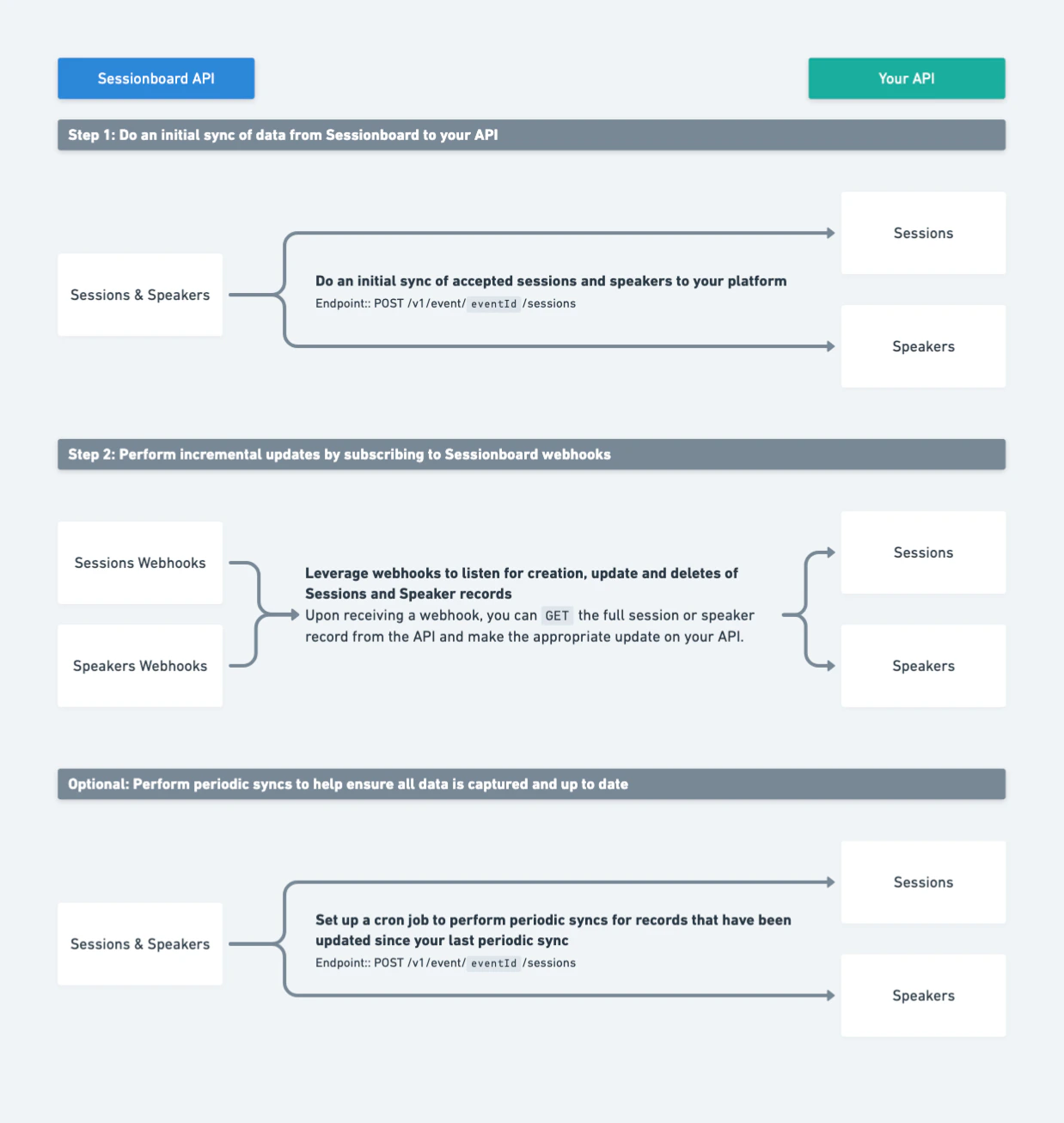
Best for: Real-time sync with full metadata access.Use the Public API to query sessions, speakers, contacts, sponsors, and exhibitors on demand. Combine with webhooks to receive push notifications when data changes, eliminating the need to poll for updates.
Authentication → | Webhooks → | API Reference →
Authentication → | Webhooks → | API Reference →
Embeds
Best for: One-off integrations and website embeds.Sessionboard provides JSON, XML, and HTML feed URLs for your event data. Embed feeds are refreshed every 60 minutes and require no authentication. Use them to display session listings, speaker directories, or schedules on your website.
Configure embed feeds from Event Settings > Integrations > Embeds in the Sessionboard admin dashboard.
Configure embed feeds from Event Settings > Integrations > Embeds in the Sessionboard admin dashboard.
Zapier
Best for: Connecting to thousands of apps without code.The Sessionboard Zapier integration (currently in beta) lets you trigger workflows in tools like Slack, Google Sheets, HubSpot, and more when data changes in Sessionboard.
Contact [email protected] to enable Zapier for your organization.
Contact [email protected] to enable Zapier for your organization.
Data Exports
Best for: One-time data snapshots and reporting.Export XLSX or CSV files directly from any list view in the Sessionboard admin dashboard. Exports include all visible columns and can be filtered before downloading.
Use the export button in the top-right corner of any list view (sessions, speakers, contacts, etc.).
Use the export button in the top-right corner of any list view (sessions, speakers, contacts, etc.).